
signotec signature pads are connected locally at the workstation. If the signing application — such as signoSign/2, signoSign/Universal, Adobe Acrobat with the signotec plug-in, or a custom line-of-business application using the signoPAD-API — runs on a terminal server or VDI desktop, the connection between the pad and the application must be bridged across the remote session.
Mechanisms
signotec supports four transport mechanisms for operation on a terminal server:
-
Citrix Virtual Channel — a dedicated, compressed channel over the ICA protocol. Requires a licensed signotec driver on the client. Citrix-specific.
-
Virtual Serial Connection — the pad is provided on the client as a virtual COM port; this COM port is mapped into the session using native Citrix or RDP tools. The USB → COM conversion is done either in hardware (devices with an FTDI chip, article number ending in
FT100) or in software (signotec VCOM driver, article number ending inU100). -
USB Redirection — the pad is passed through into the session as a complete USB device: Citrix Generic USB Redirection or the USB redirection of the RDP stack (RemoteFX).
-
Network Connection — the pad is not connected to the client but is reachable directly via IP on the network. This is possible via the signotec USB-to-Ethernet adapter (for pads in USB mode, article number
U100) or via the signotec Delta with integrated RJ45 port. In both cases the pad is client-independent and can be used consecutively from multiple workstations.
Architecture at a glance
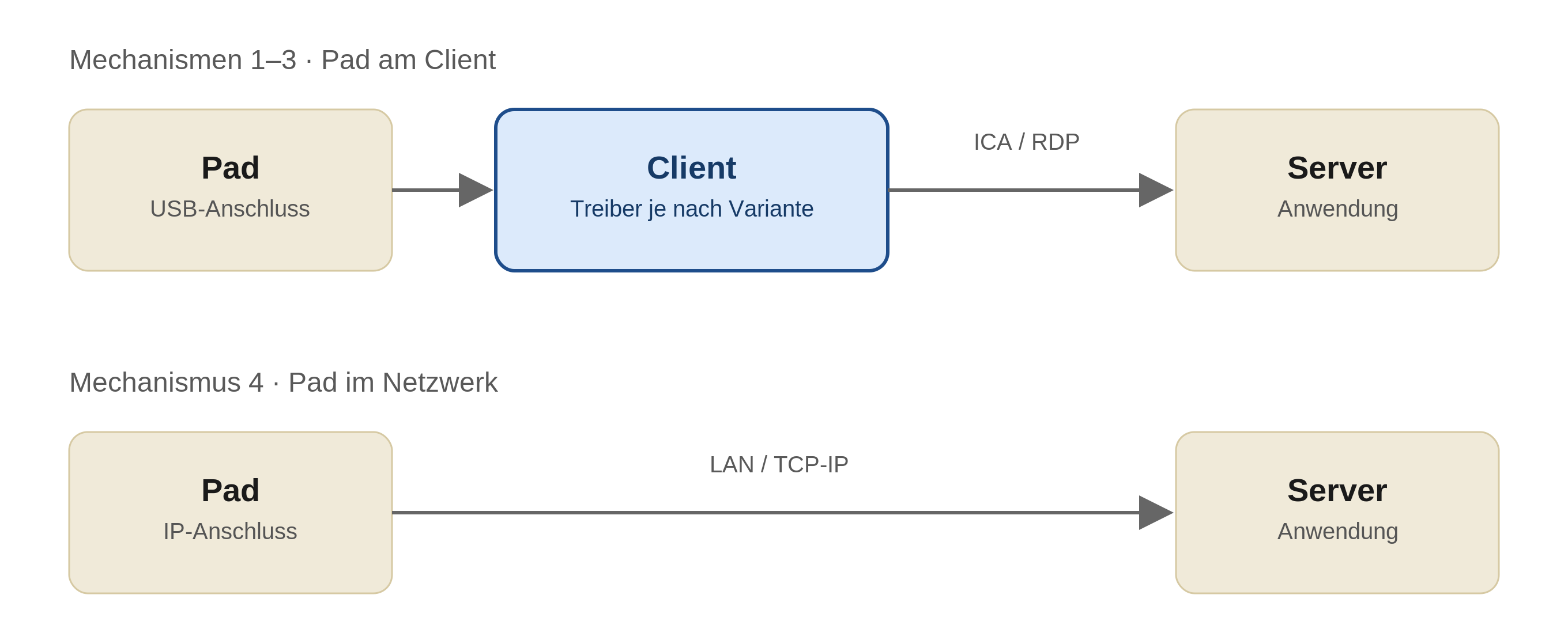
From the perspective of the server-side application, the pad in the first three variants appears as a locally attached resource — the difference lies in the transport between client and server. With the Network Connection, the client is not involved at all; server and pad communicate directly via TCP/IP.
Recommendation
-
In Citrix environments, the Citrix Virtual Channel is our primary recommendation. The connection is significantly faster and more stable than the other variants. The difference is particularly noticeable with pads that have a color display and document display.
-
Where the Virtual Channel is not an option (pure RDP environment, driver rollout not possible, restricted endpoints), the Network Connection is in many cases the next best choice — provided the network infrastructure is suitable and the application supports network mode.
-
The Virtual Serial Connection is a proven and broadly applicable solution. Performance sits between Network Connection and USB Redirection; based on our experience and customer feedback, the VCOM variant (
U100) is noticeably faster than native USB Redirection. -
The native USB Redirection works without a signotec driver, but in practice it is the weakest option. In particular, the RDP USB redirection (historically "RemoteFX USB Redirection") is usually unsatisfactory in terms of latency and stability. Useful as a fallback or for quick testing, not as a production recommendation.
A complete side-by-side comparison of the options is available at Options at a glance.
Notes
This documentation is aimed at administrators and describes the technology provided by signotec together with the respective prerequisites. Suitability in a specific customer environment (Citrix version, Workspace App platform, cloud/on-prem deployment, thin client model) is the administrator's responsibility and should be verified in a test environment before rollout.
Device-related notes — such as connection type, USB Y-cable, power supply, or availability of the FT100 and U100 variants — are provided in the respective pad manual.
On request, signotec is happy to provide assistance through support services and workshops.